xcode-mods: SwiftUI previews in Claude Code.
Set up Artem Novichkov’s xcode-mods for SwiftUI previews, builds and tests in Claude Code. Check Xcode MCP requirements and missing-preview fixes.
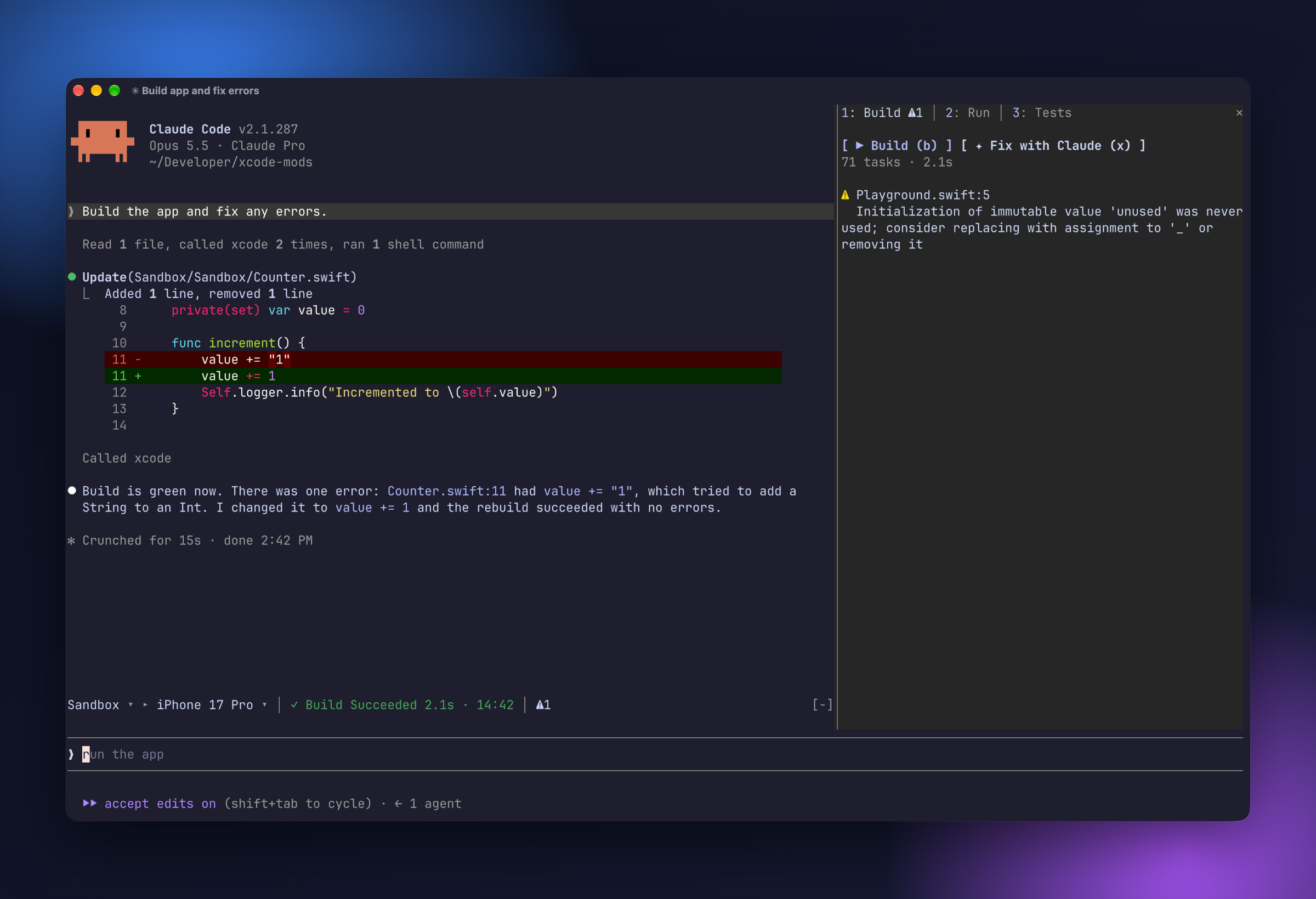
What it does
Artem Novichkov’s plugin connects Claude Code’s interface to the headless Xcode MCP server. It adds a build/run/test pane, a SwiftUI Canvas and a toolbar showing the selected scheme, destination and activity. The author documents results appearing for both your actions and Claude’s Xcode tool calls.
- SwiftUI #Preview snapshots in a Canvas pane
- Build, run, test and console views
- Scheme, destination and activity toolbar
Set up Xcode MCP before installing
Follow Artem Novichkov’s README for this plugin. Other SwiftUI preview skills and mods have different requirements. The author requires Xcode 27+ and its headless MCP server. Run these author-documented commands in your shell:
sudo xcrun mcp-server enable
xcrun mcp-server status
claude mcp add --scope user xcode -- xcrun mcpbridge
The server name must be xcode. Enabling it requires administrator access. The README also offers an mcp__xcode allow rule in ~/.claude/settings.json to avoid repeated prompts. Review that permission choice before adding it; the rule allows Xcode tool calls.
Then enter the marketplace commands inside Claude Code:
/plugin marketplace add artemnovichkov/xcode-mods
/plugin install xcode-mods@xcode-mods
Open a project containing an .xcodeproj or .xcworkspace. The author searches up to three levels deep; elsewhere the plugin hides itself and registers no commands. For general loading checks, use our installation checklist.
Render a SwiftUI preview beside the conversation
Use /preview [file.swift] for a file with #Preview. The author documents a Canvas holding ten snapshots and refreshing after Claude edits a Swift file containing a preview, once one has been rendered. This is distinct from launching the app with /run.
Why is there no preview image?
The terminal needs kitty graphics support, such as Ghostty. Otherwise the pane displays a PNG path; press o to open it. For a disconnected server, use /mcp and check the named xcode connection plus the status command above.
Can I choose the preview simulator?
The README says Xcode chooses the preview device and the MCP server does not expose that choice. Do not confuse this with the toolbar’s run destination. The first preview builds a preview host; CC Mods has not benchmarked rendering time.
Source reviewed October 16, 2026. Browse workflow mods or compare mods, skills and MCP to choose the integration you need.
When this mod might be useful
Consider this mod when editing a SwiftUI project and wanting preview snapshots beside the conversation. It may help you inspect a view between changes while keeping build and test results nearby. A preview is one view of the UI; our recommendation is to keep normal app interaction and device testing in your workflow.
Understanding this listing
Use this listing as a starting point for comparing the author’s documented behavior with your own workflow. The repository is the source of truth for installation, configuration, and later changes. The commands here reflect the setup available at the review date.
Before you try it
- Author requirement: Xcode 27+ with headless MCP enabled. This is a local Xcode workflow, not a generic preview service.
- The README lists Claude Code 2.1.286+. Official documentation requires terminal 2.1.287+ or Desktop’s bundled 2.1.286+; check /status.
- The author documents terminal images via the kitty graphics protocol and Desktop support. CC Mods reviewed source/setup, without installing or executing the mod or verifying compatibility.